Think a smart home has to be expensive, complicated, or full of gadgets you’ll barely use?
The best smart home devices for beginners are actually simple: they solve everyday problems like turning off lights, checking the door, saving energy, or playing music hands-free.
This guide will help you choose beginner-friendly devices that are easy to set up, work well together, and don’t require a tech background to enjoy.
Start with the right basics, and your home can feel more convenient, secure, and comfortable within minutes-not months.
What Beginner-Friendly Smart Home Devices Actually Do-and Which Ones Are Worth Starting With
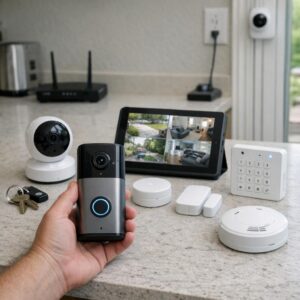
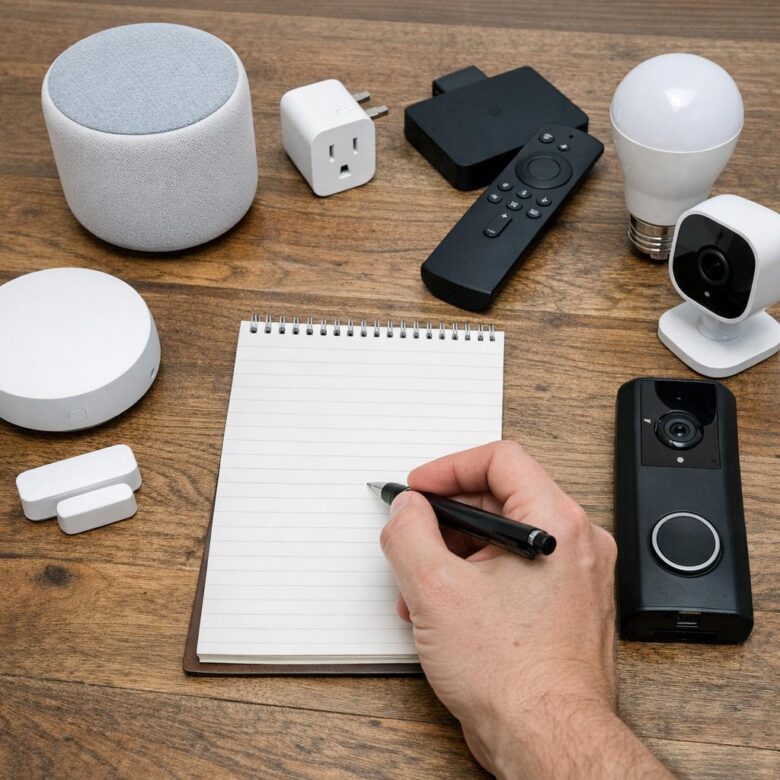
Beginner-friendly smart home devices are the products that solve small daily problems without requiring wiring, a hub, or a complicated setup. The best starting point is usually a smart speaker or display, because platforms like Amazon Alexa, Google Home, and Apple Home let you control lights, plugs, cameras, and thermostats from one app or by voice.
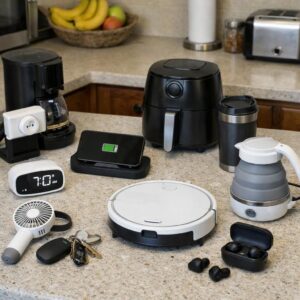
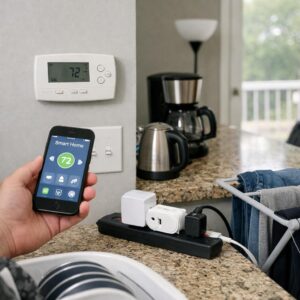
Smart plugs are often the easiest first purchase because they make regular appliances smarter. For example, you can plug in a coffee maker, lamp, or fan and schedule it to turn on before you wake up or shut off automatically at night, which is useful for convenience and basic energy savings.
- Smart bulbs: Good for renters and beginners because they need no electrical work and can dim, change color, or follow routines.
- Smart plugs: Best low-cost smart home upgrade for lamps, small appliances, and holiday lights.
- Video doorbells or indoor cameras: Worth considering if home security, package monitoring, or pet checks matter to you.
A smart thermostat can offer bigger long-term benefits, but it is not always the best first device unless your home has compatible HVAC wiring. In real homes, I’ve seen people get more daily value from two smart bulbs and a smart plug than from buying an expensive security system they barely configure.
If you are just starting, choose devices that support your preferred ecosystem and do one job well. Avoid buying a random mix of cheap smart home gadgets unless they clearly work with your app, Wi-Fi network, and voice assistant.
How to Choose Smart Home Devices That Work With Your Phone, Wi-Fi, and Voice Assistant
Before buying any smart home device, check three things: phone compatibility, Wi-Fi requirements, and voice assistant support. A smart plug or security camera may look affordable, but it becomes frustrating if it only works with 2.4GHz Wi-Fi while your router is set up for a combined network.
Start with the ecosystem you already use. If your family uses iPhones, look for Apple Home compatibility or Matter support; Android users may prefer devices that work smoothly with Google Home. If you already have an Amazon Echo, choose products labeled “Works with Alexa” so you can control lights, thermostats, and smart locks by voice without extra setup.
- Phone app: Check App Store or Google Play reviews before buying, especially for smart cameras, doorbells, and home security systems.
- Wi-Fi: Many budget smart bulbs and plugs require 2.4GHz Wi-Fi, not 5GHz-only networks.
- Voice control: Confirm support for Alexa, Google Assistant, Siri, or Matter before checkout.
A real-world example: if you buy a smart doorbell for package alerts, make sure it works with your phone notifications, your home Wi-Fi coverage at the front door, and your preferred voice assistant. I’ve seen people blame the device when the real issue was weak Wi-Fi outside the house.
For fewer headaches, choose brands with clear warranty terms, reliable customer support, and broad smart home integration. Spending a little more on compatible devices often saves money later because you avoid replacing gadgets that cannot connect to your setup.
Common Smart Home Buying Mistakes Beginners Should Avoid Before Expanding
One of the biggest mistakes beginners make is buying smart home devices one at a time without checking compatibility. A cheap smart bulb may look like a good deal, but if it does not work with Amazon Alexa, Google Home, Apple Home, or your preferred smart home hub, you may end up replacing it later.
Another common issue is ignoring Wi-Fi strength. In real homes, smart cameras, video doorbells, and smart locks often fail not because the device is poor, but because the router cannot handle coverage near the front door, garage, or backyard. Before adding more connected devices, consider a mesh Wi-Fi system if you already have dead zones.
- Buying too many brands: Mixing several apps can make automation harder and less reliable.
- Skipping security settings: Always enable two-factor authentication for smart cameras, locks, and home security systems.
- Choosing price over long-term support: A low-cost device with poor firmware updates can become a privacy risk.
A practical example: if you plan to install smart lighting in multiple rooms, start with one ecosystem such as Philips Hue, Kasa, or Matter-compatible devices. This keeps setup cleaner and makes future upgrades like motion sensors, smart switches, and energy monitoring tools easier to manage.
Also avoid expanding before you know your real use case. Start with devices that solve daily problems, such as a smart thermostat for energy savings or a video doorbell for package monitoring, then build from there.
Key Takeaways & Next Steps
Starting a smart home works best when you choose devices that solve real daily problems, not just ones that look impressive. Begin with one or two essentials-such as a smart speaker, plug, bulb, or doorbell-and make sure they work with your preferred ecosystem before expanding.
The smartest buying decision is to prioritize compatibility, reliability, and ease of use over advanced features you may never need. If a device makes your home safer, more convenient, or more energy-efficient without adding frustration, it is a good first step. Build slowly, test what fits your routine, and let your smart home grow naturally.

Dr. Everett Halloway is a Doctor of Design (DDes) and a sustainable technology consultant. He specializes in the integration of smart home ecosystems with human-centric wellness, focusing on how automated environments can reduce stress and enhance daily vitality. Through his research, he provides actionable insights for creating modern living spaces that are both technologically advanced and deeply restorative.